How to Play Roulette: Rules, Odds and Bet Types
 By John Isaac,
Editor at online-gambling.com
John Isaac
Editor at online-gambling.com | Rules Difficulty | Easy |
|---|---|
| RTP | 94.74% – 98.65% |
| Best Odds | French Roulette |
| Betting System | Martingale |
Free Roulette Simulator: Play Roulette Without Any Downloads
Roulette is one of the oldest and most popular wagering games and is an integral part of every casino interior – real or virtual.
Many new variations of the game have appeared throughout the years, and thanks to the rise of online roulette, all fans can enjoy the game from the comfort of their homes.
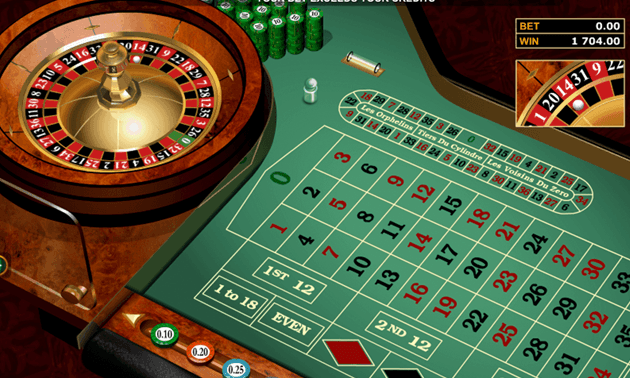
To get a better grasp of it, please try our free demo of European Roulette, one of the classic games you can find at reputable online casinos:
 Play
PlayHow to Play Roulette Online: Rules and Variations
Roulette is one of the oldest and most entertaining casino games that every player should try. There are various roulette variations including European Roulette, French Roulette, and American Roulette. Even though they are slightly different, the basic rules of the game remain the same.
Playing roulette is quite simple. You have a wheel of red and black slots with the numbers 1-36 written on them.
You would also have one or two green zeros, depending on whether you are playing European Single Zero or American Double Zero.
If you are playing online, you would also have a table that features all numbers, colors and several additional sectors on which you can place bets.
You can do so by placing a chip on each sector you want to bet on. When all bets have been placed, the dealer spins the wheel and throws in a small white ball. The number that the ball lands on wins.
As you may have heard, people have been trying to beat roulette for a long time.
Technically, there is no way to guarantee your win, but you can calculate your odds of winning if you know what type of roulette you are playing.
There are also other factors you should be aware of, the most important of which you will find listed below:
Roulette Rules: Basics of the Game
We have already explained how the game works but in order to become a successful player, you must be aware of all roulette rules.
To begin with, there are various types of bets with different payouts. The bet you choose may determine your chance of winning.
We strongly recommend you familiarize yourself with all inside bets and outside bets before you start playing the game.
This way, you will be able to build or follow the correct strategy to increase your odds of winning. Of course, you must choose your strategy according to the type of game you are playing.
We also recommend you to observe a few rounds of the game, so you can get used to it prior to placing any bets.
Roulette Wheel: Numbers and Composition
The roulette wheel’s composition is simple and easy to understand. Every wheel is composed of two elements – an external housing and a center piece that spins.
The original French roulette wheel had 36 numbered pockets colored in black and red and two additional pockets, which were numbered “0” and “00”.
In the 19th century, when French colonies established in the New World, the game also made its journey to North America.
Meanwhile, in Europe, where the game was threatened by a number of gambling bans, the Blanc brothers headed to Monte Carlo, where they could legally establish a casino.
When they brought the roulette game, they decided to improve its odds of winning by removing the additional “00” pocket. The new version of the game was called European Roulette.
In the USA, the game kept its original composition and became famous as American Roulette.

Both variations still exist. Most land-based casinos would offer American Roulette, although there are some exceptions.
Nevertheless, if you are playing online, you will always be able to choose between European, American and French roulette. We must point out that European roulette has a solid average theoretical RTP of 97.30%.
The contemporary version of French roulette follows almost the same layout with the only difference that the location of the betting boxes is different, and the bet names are written in French.
We must also mention that French roulette features a special La Partage rule, which means that even if you have bet on a certain number and the ball lands on zero, you will get half of your bet money back.
This makes both versions especially lucrative and attractive to players. Meanwhile, American roulette still follows the original roulette layout, which means that statistically, players would have lower odds of winning. American roulette also has a lower average theoretical RTP of 94.74%.
Roulette Table Layout
Now that we have covered all wheel basics, it is time to move on to the roulette table. Each player must know it well as it is an essential part of the game.
Luckily, the betting table is basically the same in all roulette variations. The American roulette table, however, has one extra field for the double zero.
Meanwhile, all tables clearly show the inside and outside bets and the numbers are colored according to their corresponding pockets in the wheel.
We must also point out, that in French roulette, the table features all names in French and has a slightly different layout. Some online versions feature announced bets also known as racetracks.
They would usually be displayed on a separate table, which has fields for all possible call bets including the “neighbor” one.

Once you have decided what bet you would like to place, you must make sure that you have sufficient funds and chips. The rest is easy.
Players get a chance to place bets on the roulette table before each spin. They can do so by placing chips on one or more fields of the betting table.
Each chip has a certain value. The total bet amount is defined by the value and number of the chips placed on the table.
If the number or color you have bet on come up, the player would win his initial stake plus an additional payout of odds, defined according to the bet payout.
To help you get a better grasp of the betting system, we have listed all inside and outside bets that you will encounter.
Inside Bets
Inside bets are all located on the inner or central section of the roulette table. Statistically, they offer a higher payout but a lower chance of winning.
Taking this into consideration, we would not recommend beginner players to place with those as they contain far too much risk. They would, however, be suitable for advanced players with a higher betting budget.
To learn more about the inside bets, please take a look at the seven types of inside bets that we have listed below:

- Straight bets – Also called Classic bets, Straight bets are extremely popular among the players. They consist of betting on one specific number. Statistically, however, this type of bet has the lowest odds of winning and also the highest payout – 35:1. If we have to be exact the chance for the ball to fall in the specific pocket you bet on is calculated to be 2.70% in European roulette and 2.63% in American roulette.
- Split bets – The player places the chip on the line separating two numbers. This way, a simultaneous bet is made on two neighboring numbers. If the ball lands on either of the two numbers, the player gets a 17:1 payoff. The chances of winning are 5.41% for European roulette and 5.26% for American Roulette.
- Street bet – The player bets on three consecutive numbers – for example, 9, 10 and 11. The payout for winning a street bet is 11:1. The estimated odds of winning are 8.11% for European roulette and 7.89% for American roulette.
- Trio – Once again the player bets on three numbers but only on ones that form a triangle. The three-number bet must involve at least one 0, for example, 0-2-3. The payout a player would receive for winning a trio bet is 11:1.
- Corner bet – Consists of betting on four numbers that form a square on the table. To do so, the player places the chip at the intersection of the numbers, for example, 18,21,17 and 20. The payout for winning is 8:1. The estimated odds of winning are 10.81% for European roulette and 10.53% for American roulette.
- Five-number bet – Available only in American roulette, this bet consists of betting on five consecutive numbers. Their possible combination is 0, 00, 1, 2 and 3. The payoff for this bet is 6:1. We strongly advise you to avoid it at all costs. It has a high house advantage of 7.89% and the odds of winning are rather low.
- Six-line bet – Also known as a double street bet, the six-line bet consists of betting on two rows of numbers, or a total of 6 numbers. If the ball lands on any of the 6 numbers, the player would receive a 5:1 payout. The odds of winning are 16.22% for European roulette and 15.79% for American roulette.
Outside Bets
When placing an outside bet, the player does not bet on a specific number. Instead, the player can bet on a color or a large set of numbers.
The outside bets are recommendable for people who like to play safe as they offer much better odds of winning. You can find all types of outside bets listed below:

- Red/Black – The player bets that the ball will land on either a red or a black-colored number. Each bet covers a total of 18 numbers with the exception of 0 and 00, which are colored in green. The payout for the red/black bet is 1:1 and the chance of winning are 48.60% and 47.40% for European and American roulette, respectively.
- Even/Odd – The player places a bet on all odd or even numbers by placing a chip on the even field, marked on the table. Bear in mind that 0 is not considered an even number and remains excluded from the bet. The chance of winning is 48.60% and 47.40% for European and American roulette, respectively. If successful, the player would receive a 1:1 payout.
- High/Low – The Low bet is also known as 1-18 or manque, while the High bet – as 19-36 or passe. These roulette bets group the lower and the half of available numbers above 0. If the ball lands on any of the wagered numbers, the player will receive a 1:1 payout. Once again, the odds of winning are 48.60% in European roulette and 47.40% in American roulette.
- Dozen – The player bets that the ball will land on one of a particular dozen of numbers. The wheel is divided into three dozen groups – 1-12, 3-24 and 25-36. The player can place a bet on any of them. If successful, the bet pays out 2:1. The odds of winning are 32.40% in European roulette and 31.60% in American roulette.
- Column – The player is betting on a column of numbers. If the ball lands on one of them, the player will receive a 2:1 payout. The odds of winning remain the same – 32.40% in European roulette and 31.60% in American roulette. Bear in mind, however, that this type of bet is rarely available.
Announced Bets
Announced bets or sometimes referred to as call bets are exclusive to European and French roulette.
Generally speaking, players can make this type of wager by simply announcing what they wish to bet on and without the need to physically place chips on the table.
Instead, dealers place the chips for them, which makes it easier to bet on rather difficult combinations. However, this mostly happens in land-based casinos.
If you are playing online, all you must do is simply click on the name of the bet you would like to place, and the dealer will automatically place the chips on the table for you. There are a few types of announced bets that you can choose from:

- Voisins du zero – Maximizes the odds of winning by covering a total of 17 numbers on the wheel. As suggested by the name Voisins du zero or Neighbors of zero, all wagered numbers are close to 0. The dealer places at least 9 chips to cover the bet. The odds of winning are 45.90%. The payout is not fixed and can go as high as 24:1, depending on the winning number.
- Le tiers du cylindre – A very popular bet also known as thirds of the wheel. It covers the 12 numbers situated directly across the Voisins du zero. The winning odds are 32.40%, and the set payout is 17:1. The house edge is the same as in red/black outside bets, but still, the chances of losing are statistically higher.
- Orphelins – The also called orphan bets, as their name implies, are neither around nor opposite the zero. The bet covers groups of numbers outside of Voisins and Tiers. The chance of winning is 21.60%, and the possible payout could be either 35:1 or 17:1.
Variations of Roulette Rules
As we have already mentioned repeatedly, roulette is one of the oldest and most popular casino games.
It has gone through a lot, both historically and commercially and its main rules have inevitably changed over the years.
Nowadays, there are three widely recognized types of roulette over the world – American roulette, which has the oldest history, European roulette, which registers the highest odds of winning and, of course, its slightly different version called French roulette.
Each game follows the same basic rules with a few minor exceptions. Inevitably, each type registers different roulette payouts. In the following sections, you can find more information about each type of roulette:
American Roulette
The game of roulette first appeared on American ground at the end of the 18th century when French immigrants brought it to Louisiana with them. Thus, it comes as no surprise that in many ways the American version follows the layout of the original French roulette – it has fields for 0 and 00. We must point out, however, that the presence of an extra 00 field makes the game not recommendable to players. It has a rather high house edge of 5.26%, which means that statistically, the player would have lower odds of winning. Even though there are many entertaining online variations of American roulette, we advise you to steer clear from it, as the game would usually have a significantly lower RTP.
European Roulette
European roulette has interesting origins. Back in the 19th century, after the game of roulette was banned in France, the brothers François and Louis Blanc decided to open a casino in Germany and later in Monte Carlo and to bring the game with them. To beat the competition, however, the Blanc brothers decided to remove the double zero from the traditional American Roulette wheel. The change immediately lowered the house edge and improved the odds of winning. Nowadays, European roulette is highly popular as an online game and can also be played in most European casinos. The game has a house edge of approximately 2.70%, which means that the player has a better chance of winning. Available in most casino sites, European roulette is one of the players’ favorite table games.
French Roulette
French roulette is the most lucrative and recommendable online game when playing for real money. The game is very similar to European roulette but features two special rules – En Prison and La Partage. The En Prison rule is beneficial to players who use an even money wagering when placing bets. According to the rule, if the ball rests in the zero pocket, players who have used even money bets will be given the option to either get half of the amount they have bet or let their bet be “imprisoned” until the next round. Meanwhile, if the La Partage rule is applied, and the ball rests in a pocket marked with 0, all players who have made even bets, will instantly get half of the amount they have bet back. Both rules are extremely useful to players as they lower the house edge to 1.35%. Thus, most French roulettes offer an RTP between 97% and 98.65%, and players have high chances of winning.
Modern Variants: The Innovative Rules Found Online
All of the aforementioned variations of the game can be found in most casino sites. Players, however, have many roulettes to choose from. All online casinos offer the typical, classic version of European, American and French roulette. Many software developers have launched successful RNG and live roulette variations. For example, many players enjoy Playtech’s Age of the Gods Roulette. The game is similar to European roulette but has an additional bonus pocket. Of course, there are many other excellent RNG roulette online games, but we will discuss them in detail in our games section. Meanwhile, we would also like to recommend you the innovative live roulette games Lightning Roulette and Immersive Roulette. They have managed to become some of the players’ favorite games and offer special, entertaining themes.
Roulette Odds
As we have already discussed in our rule variations section, the odds of winning depend on the version of the game and on the type of bet the player has placed.
Generally speaking, however, players have the highest chances of winning in European and French roulette.
Unfortunately, the higher number of zero pockets changes the probabilities for a profitable outcome, which is why we would not recommend American roulette.
If we have to be exact, European roulette has an average RTP of 97.30%, while American roulette has a much lower RTP of 94.74%.
As it becomes evident, statistically, players would have a better chance of winning if they choose European roulette.
The odds of winning, of course, are also determined by the type of bet that has been placed.
Players who do not like to risk, tend to prefer outside bets as theoretically, they offer better odds of winning. Inside bets, on the other hand, offer lower winning probability but much higher payouts.
As we already pointed out in our article about the best online blackjack strategy, proper research can make a huge difference in your odds of winning.
Roulette Payouts
Roulette payouts are the return of your wager. They are determined by the type of bet that has been placed, which is why you must always make sure you are playing with the correct bet.
Placing the chips on the wrong place might lead to receiving a much lower payout. Roulette payouts are easy to understand.
The odds are stated in the form of x to 1, which means that you will win x dollars/ pounds for each dollar/pound you have put at a stake.
For example, Split Bet pays out 17:1. Therefore, if you have bet one dollar, and you win, you will get your dollar back plus an additional $17 dollars reward.
For your convenience, we have listed each bet’s payout and the odds of winning according to the roulette online version you are playing.
As you will probably notice, as a general rule, the higher the payout is, the lower the winning odds will be. Choose your bet wisely.
If you are a beginner player, it might be a good idea to start with an outside bet and to avoid taking excessive risks.
| Roulette Bet | Payout | American Roulette Odds | European Roulette Odds |
|---|---|---|---|
| Straight-up | 35 to 1 | 2.6% | 2.7% |
| Split Bet | 17 to 1 | 5.3% | 5.4% |
| Street Bet | 11 to 1 | 7.9% | 8.1% |
| Corner Bet | 8 to 1 | 10.5% | 10.8% |
| 5-number Bet | 6 to 1 | 13.2% | N/A (American only) |
| 6-number Bet | 5 to 1 | 15.8% | 16.2% |
| Column | 2 to 1 | 31.6% | 32.4% |
| Dozen | 2 to 1 | 31.6% | 32.4% |
| Even/Odd | 1 to 1 | 47.4% | 48.6% |
| Red/Black | 1 to 1 | 47.4% | 48.6% |
| Low/High | 1 to 1 | 47.4% | 48.6% |
House Edge and RTP
The roulette house edge represents the built-in casino advantage. The house edge would normally depend on the type of game and the placed bet.
It is calculated in percentage and represents the mathematical advantage the house has over players. Thus, it is always recommendable to play games with a lower house edge and with a higher RTP.
We must note, however, that no matter how skilled or lucky a player is, he can never offset the house edge.
The RTP, on another hand, represents the expected return of the money a player has wagered. It is also calculated in percentage.
In roulette, the house edge and the RTP are often determined by the wheel layout. Thus, for example, the extra 00 pocket in American roulette, makes the game disadvantageous to players.
Meanwhile, French roulette is currently the game with the lowest house edge and the highest RTP, which makes it highly recommendable. In the table below, you can find the statistics for the three main roulette systems:
| Roulette System | House Edge | RTP |
|---|---|---|
| American Roulette | 5.26% | 94.74% |
| European Roulette | 2.70% | 97.30% |
| French Roulette | 1.35% | 97% – 98.65% |
Roulette Variations
Thanks to modern technologies, players can enjoy high-quality online games from the comfort of their homes. Most online casinos offer a great number of excellent RNG and live roulette games that players can choose from.
You can select among the classic versions and many innovative roulettes with slightly different rules.
To help you pick the best roulette, we have tested all roulette variations and have selected only the ones that ranked high and displayed excellent graphics and performance. Here’s how our top 10 online roulette games compare:
| Online Roulette Game | Wheel Layout | RTP | Software | Game Rating |
|---|---|---|---|---|
| Lightning Roulette | European | 97.30% | Evolution | 4.90 |
| Video Roulette | European | 98.65% | Playtech | 4.85 |
| Immersive Roulette | European | 97.30% | Evolution | 4.85 |
| French Roulette | European | 97.30% | Dragonfish | 4.80 |
| Age of the Gods Roulette | European | 94.74% | Playtech | 4.77 |
| European Roulette Gold | European | 97.00% | Microgaming | 4.75 |
| American Roulette | American | 94.74% | Microgaming | 4.72 |
| European Roulette | European | 97.30% | NetEnt | 4.70 |
| Mini Roulette | European | 96.15% | Playtech | 4.70 |
| Premier Roulette | European | 97.30% | Microgaming | 4.70 |
While there might be certain tricks you could pull to improve your chances of winning at land-based casinos, the online roulette games give you no such options.
Their odds of winning have been programmed in advance, and they are being constantly audited by independent agencies.
To make sure the roulette you are playing is safe and fair, look for the presence of any of the following logos at your chosen casino site:
As we have already discussed, you should always check the official RTP of each online roulette you are playing. Normally, it should correspond to the land-based RTP for the wheel layout.
However, there might be certain exceptions if a new rule or feature has been added.
To help you understand better, we have prepared a special informative section, where we will briefly discuss each of our top 10 online roulette games.
European Roulette
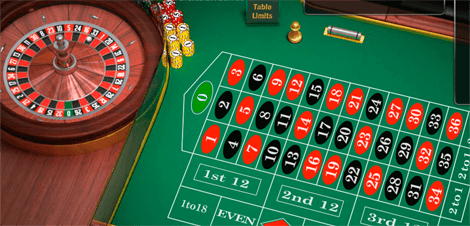
NetEnt’s RNG version of European roulette boasts excellent graphics and realistic casino sounds, which make the game especially enjoyable.
Suitable for high and low rollers, the game has an RTP of 97.30% and is available in most online casinos. A perfect choice if you are looking for a classic rendition of the popular game.
American Roulette
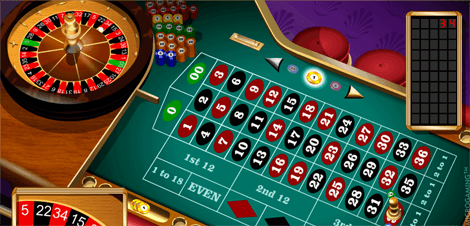
This might not be the most lucrative casino game, but it is certainly entertaining. Microgaming’s RNG American roulette stands out with exceptional visuals and clear sounds.
Players can enjoy it on both desktop and mobile devices and it is available in most casino sites. If you’re a fan of casino classics, then this is a must!
French Roulette
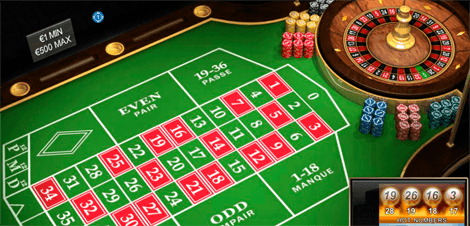
Section 8 Studio’s game is a top recommendation if you want to play roulette online. It has European roulette’s classic wheel layout with a few minor differences. What makes the game extraordinary, however, is the presence of the La Partage rule, which lowers the house edge greatly.
Video Roulette
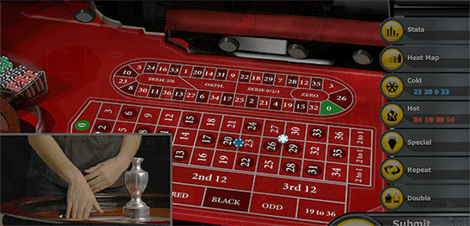
Playtech’s Video Roulette is another game that we strongly recommend. It has the classic European wheel but unlike most RNG games, shows a real-life recording of a roulette game. This gives the game a special cinematic feel and the many exciting features won’t leave you bored.
Mini Roulette
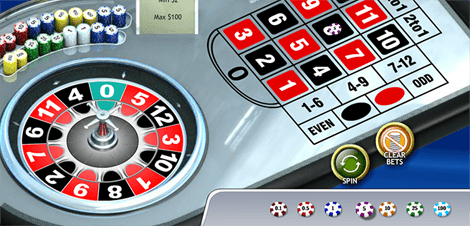
Playtech’s Mini Roulette is perfect for beginner players. You play by the classic rules, but the wheel and table layouts are quite different.
There are only 12 numbered pockets and one zero, and some innovative bets. Mini roulette is easy to understand, and its excellent graphics make it even more enjoyable to play.
Immersive Roulette

If you like live dealer games, Evolution Gaming’s Immersive roulette might be the perfect game for you. It features the classic European roulette wheel and the typical betting table.
What makes the game special, however, is its HD video quality and live casino feeling. The game also offers a live chat option which gives it a social element.
Lightning Roulette

Evolution Gaming’s Live Lightning Roulette is currently the most entertaining online casino game you can find.
The game is based on the standard European roulette, with the difference that it also features randomly generated lucky numbers and payouts with multipliers of up to x500. The amazing visual effects and sounds make it a real treat!
Premier Roulette
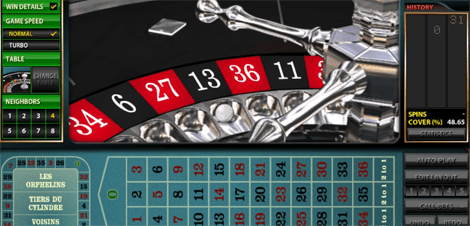
Microgaming’s Premier roulette is based on the classic European roulette and follows all its rules and bets. Thus, players can enjoy a low house edge and high RTP.
The game performs perfectly, on both laptops or mobile devices. Premier roulette also stands out with excellent visuals, perfect sound, and wide betting variety.
Age of the Gods Roulette

Playtech’s Age of the Gods Roulette is similar to European roulette. It has the classic wheel layout, one zero and excellent graphics.
The game also features an additional bonus package and players have the chance to win one of the four progressive jackpots.
The game’s minimum RTP is 94.74%, which is a good number for a jackpot roulette.
European Roulette Gold
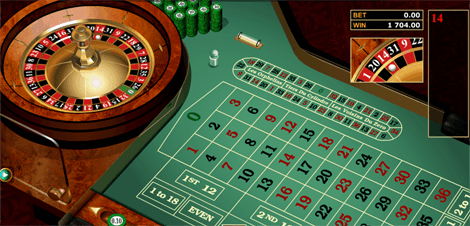
Microgaming’s European Roulette Gold is another excellent online roulette that you might enjoy.
The game is based on the classic European roulette wheel, which means that it has a low house edge and a high RTP.
Apart from high possibilities to win, however, the player can also enjoy excellent graphics and entertaining theme.
As you may have noticed, two of our recommended games are live dealer roulettes. The live dealer games in general, have registered a constantly growing popularity in the last few years.
The live roulettes might be the perfect option for players, who do not like the rather artificial RNG games and crave the real casino experience.
The live dealer games are usually accessible from laptops and smartphones, which fits well with our busy lifestyles. They are also part of most online casinos’ portfolio and often come with special bonuses. We will explain in detail in our live dealer roulette section.
Live Dealer Roulette Online
If you miss the real casino experience but do not have the possibility to actually go to such, we have the right solution.
The live dealer roulette games are the perfect combination of online gaming and live experience. They are hosted by real professional dealers and streamed live from a real casino or studio.
While all games are usually broadcasted in an HD quality, the player can always adjust it if his internet connection is not good enough.
Gamblers are also given the option to chat live with the dealer and ask questions regarding the game.
Before we get into more details, we would like to show you a brief video demo of how a live dealer roulette looks like:
While most online casinos offer live dealer games, finding a suitable roulette site might be a rather difficult task. To begin with, you need to pay attention to the platform.
Statistically, the best live dealer software is offered by Evolution Gaming, Playtech and Microgaming. Each online casino, however, may offer a different number of live roulette games from one or more software developers.
How to Win at Roulette: Tips, Strategies and Betting Systems
There is no way, nor strategy that can guarantee you would win at roulette.
To make sure that you would be given a fair chance to have a profitable game, however, you should always make sure you are playing at a safe online casino, where all games have been audited.
For your own safety, we recommend you to choose a licensed and regularly audited casino site.
You should also find out what are your theoretical odds of winning by checking the roulette game’s RTP and house edge. Do not forget that some versions of roulette would be more profitable than others.
Once you have made sure that you have chosen the right roulette game for you, you can try to improve your chances to win by using certain systems.
Roulette Betting Systems Boiled Down
We have heard many stories of people who have been trying to beat roulette. Even though some have achieved certain success, it is impossible to eliminate the house edge completely.
Nevertheless, there are several ways to statistically improve your chances to win. You can, for example, apply certain betting systems that promise excellent results.
We will gladly tell you more about them and how to use them.
Before we move on, however, we would like to remind you that luck is an important factor in all roulette online games and even the best strategy or betting system could not guarantee a potential win.
Martingale System
The Martingale system is the most popular and commonly used strategy. It is easy to understand and implement. The system suggests that you should increase your bet after every loss.
This way when you eventually win, you will get your money back and will have the chance to start off with your initial amount.
We must warn you, however, that the system is rather risky as all it does is increase your chances to win in the short term.
While we would not advise beginner players to use the Martingale strategy, more advanced players may try it by following a number of steps.
- Bet only on even-money outside bets. These include red, black, even, odd, 1-18 and 19-36.
- They have the highest odds of winning and a rather low payout – 1:1. Thus, you win the same amount of money you bet for the spin.
- The first bet you place should be of the lowest amount possible.
- Keep betting the same until you lose.
- After you lose, double the initial bet amount. This way, if you win, you will recover the money you have lost and will possibly even make a profit.
- If you keep on losing, keep on doubling your bets.
- After you win back what you have lost, you should restart the game and follow the same steps.
Reverse Martingale System
Paroli or the Reverse Martingale system is known as one of the oldest gambling strategies ever invented. As you have probably figured by its name, this system contradicts the Martingale system.
It advises you to double your bet after each win. If you start with the minimum bet, you will not be able to lose a lot at once.
And if you do lose, you will quickly get your money back once you win.
- Make an even-money outside bet such as black, even, odd, 1-18 and 19-36.
- Start with the minimum bet. Repeat betting the same amount until you win.
- Once you win, double the bet.
- When you lose, restart the game and start betting all over again.
D’Alembert System
The D’Alembert system is one of the most popular strategies in the gambling world. It is rather safe to use as it suggests a softer bet progression.
According to the D’Alembert method, the player should gradually increase his betting amount when he loses a round and gradually decrease it after each win.
According to the strategy even when the number of your wins and losses are identical, you still make a small profit.
- It is recommendable to use the system for even-money bets, although it does not work exclusively for them.
- Calculate the bet you want to start with. It should be no more than 2% to 5% of your total bankroll.
- Increase the bet with up to 10% if you win and decrease it with 50% of your initial stake if you lose. You can also of course, work with the percentage you find most convenient.
- For example, if you bet $10 and you win, your next stake should be $15. If you lose, you should decrease your bet to $5.
Fibonacci System
The Fibonacci system is one of the safest strategies you could use. This also means, however, that it might take longer for you to cover all your potential losses.
The system is based on the famous Fibonacci numbers – a sequence, in which the next number you equals the sum of the previous two. In roulette, the system works for even outside bets only.
You should also use it only on bets that have around 50% winning chance. Before we explain how the system actually works, however, we must advise you that it is not very profitable.
Thus, you should not use it if you are a high-roller or an expert roulette player.
- Here is an example of the Fibonacci numbers: 1-1-2-3-5-8-13-21-34 etc.
- The system is easy to implement in a roulette game. You raise the bet when you lose and lower it when you win.
- For example, if you bet $2 and have a losing sequence, your bets should follow а similar pattern: $2-$3=$4 etc.
- If you win after a series of losses, you should bet in the following way: $2-$3-$4-$5-$4-$3 etc.
- The advantage of the Fibonacci system is that it gets back losses gradually. Thus, you should only use this strategy if you are planning to play roulette online for a long time.
James Bond System
If you have seen at least a few of the James Bond movies, you would know that the MI6 agent is a notorious gambler.
In Casino Royale, for example, we see Agent 007 playing his favorite games – poker and baccarat.
He always has a strategy and knows how to win even when the odds are not in his favor. Have you read the book Casino Royale?
In it, Bond takes a shot at roulette and creates a betting system of his own.
It works in a simple way you place certain bets on specific numbers and wait to see if the odds are in your favor.
Before we explain how the betting system works, we must warn you that no one, not even James Bond can beat the house edge.
Yet, we tried the system and established that, in the end, it all depends on how lucky you are.
Technically, the James Bond strategy increases your chances of winning, but do not forget that nothing is guaranteed and you could also end up losing.
- Bet £14 on 19-36, £5 on the Line Bet 13-14-15-16-17-18 and £1 on 0
- It is important to keep the proportions. If £20 bet is not enough for you, you can try the system with £200 and £2,000.
- If the ball lands on 19-36, you will win £8
- If it lands on 13-18, you will win £8
- If 0 is the winning number, your reward will be £16
- If the ball lands on 1-12, you will lose £20
- As you can see, the system covers 24 numbers, which means that mathematically your chance of winning is around 66%.
- You should not forget that each game has built-in house edge. How many times you would actually win depends on how lucky you are.
Roulette Tips for the Casual Fan
Playing with a strategy is always exciting, but not necessarily recommendable. As we have mentioned repeatedly, betting systems may improve your chances to win, but they cannot guarantee that you would make any profit.
Besides, they require a large investment and much discipline. Thus, if you are a regular player with limited resources, playing with a strategy may not be the best option for you.
Instead, we have a few tips on how to get the most out of your favorite roulette game.
Still, remember, that nothing can deliver guaranteed results, which is why our main advice for you is to always gamble responsibly.
Practice on Free Demo Games
Luckily, most online casinos offer a free demo version of their RNG roulette games.
If you want to learn how to play roulette for real money and be successful, we strongly recommended you to take advantage of them.
Even if you are well-aware of all roulette strategies and rules, it is always worth trying a game.
Remember that even if they follow the same rules, online roulettes are not the same as the real-life ones.
Thus, if you are given the option, you should always test a game before you bet your money on it.
Using the free demo will give you an idea of what to expect both graphically and technically. As an example, we have prepared a free demo version of French Roulette Gold:
 Play
PlayIf you’re looking for more options to test your luck in roulette without sacrificing real money, check out our list of social casinos for the best free gaming experience.
Before we move on, we will also briefly explain how exactly roulette online games function. An online roulette game is basically a virtual roulette wheel simulator.
The fairness and randomness of the outcome are controlled by a complex Random Generated Numbers (RNG) software.
All online roulettes would usually have a set house edge that cannot be beaten, no matter what strategies you try.
However, to make sure you are playing at the best conditions, please check whether you chosen casino site is licensed and regularly audited by independent agencies.
Game & Software Developers
Whether you prefer to play RNG or live roulettes, there are many games that you can choose from.
Some of the best casino sites even work with various software providers to offer a rich game collection for their customers. Inevitably, however, some providers have better and more successful roulette games than others.
Some of our recommended online roulette games, for example, have been launched by leading companies such as Microgaming, Playtech and Evolution Gaming.
To find out the name of all companies that offer the best roulette games, please consult the list below:
- Playtech
- NetEnt
- Microgaming
- Play’n GO
- Evolution Gaming
- SG Interactive
- Novomatic
- Authentic
- IGT
- iSoftBet
All roulette games, regardless of their software developer, should offer the same performance despite what online casino they are played at.
As we already explained in our article about the best free online slots, the RNG software is subject to strict inspections for all casino games.
Bear in mind, however, that each operator might set different betting limits for each online roulette.
We advise you to always check whether the betting limits would meet your needs and whether you should look for another roulette site.
Is Online Roulette Fair? RNGs and Testing Explained
Historically, there have been isolated cases of fraud or rigged games at rogue operators.
This is rare today: reputable online casinos are required to have their RNG software independently audited and certified on an ongoing basis.
To confirm you’re playing a fair game, check that your casino holds a recognized license and look for testing seals from bodies such as the UKGC, MGA, eCOGRA, or GLI.
These labs run statistical and source-code audits on the RNG to verify outcomes are genuinely random and cannot be manipulated by the operator. Fairness is separate from profitability.
Every roulette game has a fixed house edge built into the rules — set by the type of bet and wheel — and no amount of testing or licensing changes that math.
A fair game simply means the odds are exactly what the rules say they are, with no hidden manipulation stacking the deck further against you.
Curious Facts About Our Favourite Game: Fan Corner
Now that we have covered all the important details about roulette, it is time to focus on some more fun facts about our favorite game.
For example, did you know that 17 is the most commonly played number in roulette?
Or that flat betting, which means placing the same amount over and over again, is statistically more successful than any system? Eager to learn more curious facts about roulette?
Stay with us and read the following sections as we will discuss interesting topics such as roulette books and movies, the best roulette land-based casinos in the world and much more!
History of the Game
Roulette is one of the oldest and most popular casino games. While the origin of the game remains unclear, it is believed that it derives from the ancient Wheel of Fortune.
According to the legend, the Goddess of Fate turned the wheel to show the rise and the fall of a king.
The wheel can also be seen as a metaphor for happiness and unhappiness, or a symbol of gambling.
If we leave the legend aside, however, roulette has a long and interesting history that we should explore.
In the table below, you can find the most important events from the history of roulette, from the 18th century until the present days.
| Year | Info |
|---|---|
| 1655 | Blaise Pascal tried to invent a perpetual motion machine, which later gave the basic for the creation of the roulette wheel. |
| 1720 | The gaming wheel for the Italian game Biribi is invented. |
| 1796 | The roulette game gained popularity in Paris. |
| 1801 | Jaques Lablee published his novel La Roulette, ou le Jour, which describes the roulette wheel in the Palais Royal in Paris in 1796. |
| 1843 | François and Louis Blanc introduce the single zero roulette in the German town of Bad Homburg. |
| 1850s | The original Double-Zero French Roulette appeared in New Orleans, US. |
| 1860s | The Blanc Brothers took roulette to Monte Carlo. |
| 1900s | The original French double-zero roulette made its way to Mississippi from New Orleans. |
| 1900-1950s | Single zero French Roulette was mostly available in Monte Carlo, while players could enjoy its double-zero version in Las Vegas. |
| 1970s | Casinos started flourish around the world, the roulette game also gained popularity. |
| 1996 | The first online casino, InterCasino was officially launched. The first online roulette games became available. |
| 2000 | Online players can access both European and American Roulette from the comfort of their homes. |
| 2008 | There are thousands of casinos around the world offering roulette. |
| 2016 | The Venetian Las Vegas introduces the first triple-zero roulette wheel. |
Roulette at Land-Based Casinos
Roulette is one of the core casino games, so we should not be surprised by the fact that it is offered in many land-based casinos around the world.
Due to the game’s popularity, many casinos have decided to launch multiple tables with flexible betting limits.
While we all love playing online roulette games, we cannot deny that nothing can compare to the thrill of playing on a real wheel. Eager to go on a short gambling trip?
Stay with us and read our following section, as we reveal to you which are the best roulette casinos in the world that you should definitely visit.
Best Real-Life Roulette Casinos in the World
Choosing the best land-based casino could be difficult. That is why we have conducted extensive research to find out which gambling venues around the world offer the best roulette online games.
We have done our best to include casinos from the most popular gambling locations, and of course, suitable for low and high-rollers.
Our choice is based on the number of roulette tables, betting limits and location. You can find our full list below as well as each casino’s official website in the table below:
| Real Casino | Location | Roulette Tables | Table Limits | Official Website |
|---|---|---|---|---|
| Bellagio | Las Vegas, US | 12+ | $15 – $10,000 | www.bellagio.mgmresorts.com |
| The MGM Grand | Las Vegas, US | 17 | $10 – $20,000 | www.mgmgrand.mgmresorts.com |
| Borgata Casino | Atlantic City, US | 19+ | $10 – $500 | www.theborgata.com |
| Casino de Monte-Carlo | Monte Carlo, Monaco | 20+ | €10 – €2,000 | www.montecarlosbm.com |
| Hippodrome Casino | London, UK | 18+ | £1 – £500 | www.hippodromecasino.com |
| The Venetian | Macao, China | 300+ | $25 – $500 | www.venetianmacao.com |
| Crown Casino | Melbourne, Australia | 30+ | $2.50 – $1,000 | www.crownmelbourne.com.au |
Etiquette: Use Pen and Paper to Take Notes
Each player has his own rules and etiquette when playing roulette games. Many gamblers, for example, prefer to take notes on casino games.
Such practice is allowed in roulette, as long as you are using pen and paper. Meanwhile, land-based casinos would not permit you to take notes on electronic devices.
You can also, of course, take notes on your smartphone or laptop if are playing online, even though we cannot guarantee that such a strategy would be effective.
Remember that luck is a great factor in all roulette games and writing down each number that comes up might not come of any help.
Nevertheless, taking notes on your bets, wins, and losses may be a good way to avoid spending too much money.
Famous Winners
Roulette is one of the oldest casino games and there are many success stories. You have probably heard of professional gamblers who have had the luck to make a fortune playing roulette.
This, of course, is not an easy task and requires a lot of dedication and concentration. Here are some of the most famous roulette players:
- Chris Boys – Boys is a software developer from the UK, who spent years saving $220,000 with the intention to spend it all on one roulette spin. Many venues refused to accept the bet. One casino, however, let him try his luck. Surprisingly, he won, and this was the beginning and the end of his gambling career. Chris collected his reward and swore never to gamble again.
- Gonzalo Garcia-Pelayo – A Spanish record producer who analyzed thousands of spins on a single wheel, in order to identify the most common numbers and colors that would come up as a result of the imperfections of the wheel. Gonzalo developed his method by going to every casino in Spain and subsequently to Las Vegas. He eventually retired after having earned $1,500,000, and his system became popular across the whole world.
- Ashley Revell – Inspired by his compatriot Chris Boyd’s success, Revell decided to follow his example. The only difference was the Ashley was already a professional gambler. He sold everything he owned and ended up with $135,000. He decided to bet the whole sum on a single spin. Luckily, he managed to double it $270,000, and just like Boyd, he decided to never gamble again.
How to Cheat on Roulette – The Scams That (Almost) Worked
As we have mentioned repeatedly, it is impossible to beat the house edge. Even the most popular roulette strategies can only potentially improve your odds to win but would not work.
Yet, many people often try to break the rules and cheat on roulette. Some of them almost succeeded, but not quite. Here are the most famous cheaters:
- Richard Marcus – He became famous for many years of cheating in Las Vegas. Marcus also invented the systems Roulette Mix-Up, and “The Savannah”, which he and his team have been applying in Vegas for years without anyone realizing he was the mastermind.
- Sherry Skoons – Sherry was a member of Richard Marcus’ cheating team. Initially, she just filled up a spot, with the years, however, she evolved and became a claimer. Nowadays, Sherry Skoons is a part of a CSI group.
- Gonzalo Garcia-Pelayo – We have already mentioned that Pelayo is one of the most successful roulette players in the world. This, however, does not change the fact that his system involves a certain amount of cheating. No wonder he was at some point banned from many Spanish casinos.
Legal Roulette Across the World: Where Can You Play?
Roulette might be a popular game but unfortunately, it is not legally allowed in all countries.
To avoid any legal repercussions, it is always recommendable to check whether the game is permitted in your location – and keep in mind that it matters whether you want to play roulette online or at a real casino.
Some countries, for example, may ban land-based games but allow online roulette games. With others, the situation might be just the opposite.
In the table below, you will find information on whether roulette is legal in some of the most popular gambling destinations. As you will probably notice, the US is not included.
The situation in the country is rather difficult, as the roulette game’s legal situation is different in every state.
| Country | Real Casino Roulette | Online Roulette |
|---|---|---|
| United Kingdom | Legal | Legal |
| Canada | Legal | Legal |
| Ireland | Legal | Legal |
| South Africa | Legal | Legal |
The Game on the Big Screen
Roulette has been around for years and has been represented in many forms of art.
We should not be surprised that many popular movies have decided to include the game in their plot line and have made it an important part of the story.
If you are a film fan, just like us, you will certainly enjoy some of the most famous roulette movies that we have listed below:
| Movie Title | Year Released | IMDB Score | Metacritic Score | Amazon Link |
|---|---|---|---|---|
| Casablanca | 1942 | 8.5/10 | 100% | Watch Here |
| Casino | 1995 | 8.2/10 | 73% | Watch Here |
| Croupier | 1998 | 7.1/10 | 75% | Watch Here |
| 13 | 2010 | 6.1/10 | 29% | Watch Here |
All of our recommended gambling movies might be entertaining and interesting to watch, but this does certainly not mean that they are realistic.
The aforementioned films feature an artistic or metaphorical representation of the game and should certainly not be taken literally. Remember to always gamble responsibly and never bet more than you can afford to lose.
Casino Books: Our Chosen Recommendations for Fans of the Game
Do you like reading? So do we, but when it comes to roulette books, you have to careful. Most books nowadays would try to oversell a certain system, claiming that it brings profits.
It is important, however, to remember that no strategy can beat the house edge and guarantee that you would win. Meanwhile, you can read books that help you understand better the game.
Below, you can find one of the most interesting titles on the market:
| Book Title | Author | Year Published | Amazon Score | Amazon Link |
|---|---|---|---|---|
| How To Play Roulette: The Ultimate Guide to Roulette Strategy, Rules and Roulette Systems for Greater Winnings | David Sanders | 2017 | 3.0/5 | Read Here |
Final Thoughts
Roulette is one of our favorite casino classics. Luckily, nowadays you can experience the game without having to go to a real casino.
Modern technology allows players to enjoy many high-quality online roulette games at the best conditions.
Whether you prefer to play on your laptop or on your smartphone, you will certainly find the right game for you. Ready to try your luck?
Remember that you do not have to spend your real money to play roulette — most reputable online casinos offer free demo versions so you can practice risk-free first.
When you’re ready to play for real, make sure your chosen casino site is licensed and regularly audited. Rules and availability vary by location.
If you’re playing from the US, check our US online roulette guide, with state guides for New Jersey, Pennsylvania, Michigan, and West Virginia.
Common Questions
We hope our roulette guide has been useful to you. Nevertheless, if you still have any doubts, we will gladly resolve them.
In the section below, you can find the most frequently asked questions about roulette and their answers.
We have done our best to cover all topics so that you can be fully aware of all rules and details.
1. What's the Difference Between European, American, and French Roulette Wheels and Tables?
European and American roulette use slightly different wheels: European roulette has a single 0, while American roulette adds a second, double-zero pocket, giving it a higher house edge. The betting table follows the same split — American tables have one extra field for the double-zero, while French tables use a slightly different layout for outside bets. All versions still color and number their pockets the same way, so the differences come down to that one extra pocket and the resulting table layout.
2. What Color Is 13 on a Roulette Wheel?
Number 13 is colored in black in all roulette wheels. The sequence of the numbers in a roulette wheel is carefully calculated and has nothing to do with their arithmetic value. The wheel layout aims to distribute all numbers evenly so that each number has an equal chance of being hit.
3. What Do You Call a Roulette Dealer?
A roulette dealer or a croupier is someone appointed to assist and conduct a roulette game. Bear in mind, however, that if you are playing an RNG roulette game, the dealer will not be a visible figure but rather a background presence ensuring the game runs as intended.
4. Is Online Roulette Rigged or Fixed?
No — as long as you're playing at a licensed online casino, the game is fair. Licensed roulette games run on independently audited RNG software, and reputable casinos are tested and certified on an ongoing basis by bodies such as the UKGC, MGA, eCOGRA, or GLI. Physical rigging methods like tampered wheels or magnets are largely a land-based casino myth that doesn't apply online — the outcome is generated by certified software, not a physical wheel. See our section on how roulette fairness is tested for more detail.
5. Can You Win at or Beat Roulette Odds?
There's no strategy that guarantees a win, and no way to permanently beat the odds. Every roulette bet carries a fixed house edge built into the rules, and that edge can't be eliminated — casinos couldn't operate otherwise. Betting systems can change how your bankroll rises and falls in the short term, but none of them change the underlying math, and their long-term effectiveness isn't backed by evidence. Luck remains the deciding factor in any single session.
6. How Much Is the Payout for Roulette?
The payout in each roulette game depends on its version and on the bet that has been placed. Generally speaking, European roulette offers a higher payout than American roulette. For more information, please consult the relevant paytable of your chosen roulette game.
7. What Are the Odds and House Edge in Roulette? - acceptedAnswer.text:
The odds in roulette depend on the bet you place and the wheel you're playing — outside bets like red/black or odd/even offer close to 50/50 odds with a smaller payout, while single-number bets pay out much more but hit far less often. The house edge follows the same logic: in European roulette, the theoretical house edge is 2.70%, versus a higher edge in American roulette because of the extra double-zero pocket. This edge can never be fully eliminated, no matter which bet or system you use.
8. What Is a Neighbor Bet in Roulette?
The Neighbor bet in roulette is a bet that includes 5 numbers. The player chooses a number he wants to use for the neighbor bet, and the two numbers on each side of it are automatically included. For example, if the player has chosen number 5 for a neighbor bet, the two numbers on each side of it, 10 and 24, will also be included, alongside 16 and 33 as the following neighbors.
9. What Is the Best Bet in Roulette?
Choosing which is the best bet in roulette is a rather subjective decision. Generally speaking, if you like to play safe and with better chances to win, we recommend the outside bets. Meanwhile, if you are a risky player looking for a higher payout, an inside bet might be a better fit for you.
10. What Number Hits the Most in Roulette?
Modern roulette wheels are extremely precise and are not supposed to be biased. Therefore, we cannot say that a certain number hits most frequently in roulette. Nevertheless, there are certain superstitions according to which some numbers are luckier than others.
11. What Is the Martingale Betting System?
The Martingale betting system is a strategy that suggests players should double their bets after every loss. This way, their first win is supposed to recover all previous losses and bring a profit equal to their original stake.
12. Is the Martingale System Allowed and Profitable in Casinos?
Yes, casinos allow players to use the Martingale system — but we don't recommend relying on it. In theory, doubling your bet after every loss recovers past losses once you win. In practice, table betting limits and your own bankroll can stop you from doubling indefinitely, so a long losing streak can wipe out your funds before a win arrives. It doesn't change the game's underlying house edge, so it isn't a reliable path to profit.
13. Can You Play Roulette Online for Real Money?
Yes — there are plenty of reputable online casinos that let you play roulette for real money, with both RNG and live dealer options available. Availability and legal status depend on where you're located, so check our regional guides, such as our US roulette guide, for the specifics that apply to you. For your own safety, always confirm that your chosen casino site is licensed and regularly audited.
14. Is Online Roulette Legal in the US?
Online roulette is legal only in certain US states. For example, players in New Jersey, Pennsylvania, Michigan, and West Virginia can play their favorite roulette variations without restriction.